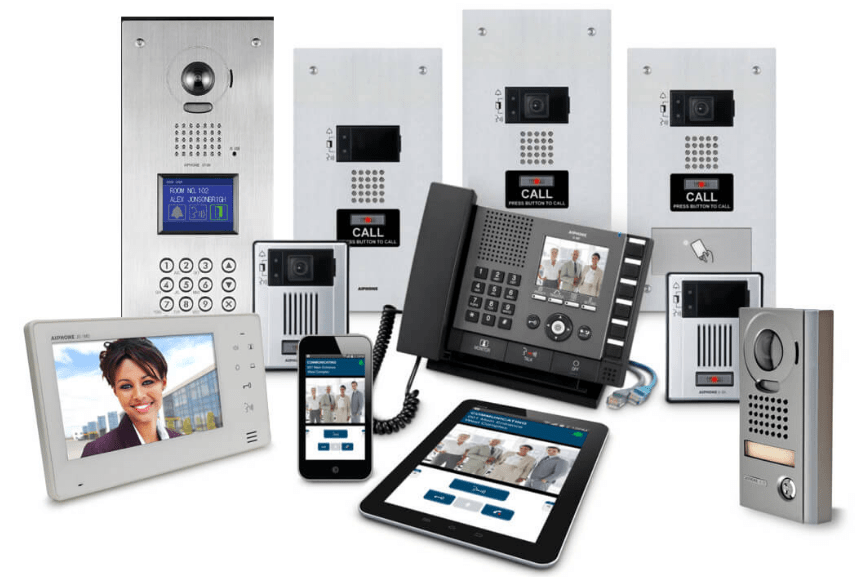
In an increasingly connected world, communication and access control systems play a vital role in maintaining security and operational efficiency. When it comes to large infrastructures—be it corporate campuses, residential complexes, or industrial facilities—implementing the right Intercom solution in Dubai can make a world of difference. From seamless visitor management to reliable internal communication, intercom systems are the backbone of modern building security. However, deploying such systems at scale requires careful planning, integration, and execution. This article explores the best practices for installing and managing large-scale intercom projects effectively.
Understanding the Importance of Large-Scale Intercom Systems
Large organizations or multi-building projects require intercom systems that go beyond basic communication. These systems serve as security and communication networks, enabling teams to control access, verify identities, and monitor entries in real-time.
Key Benefits of Advanced Intercom Solutions
-
Enhanced Security: Restricts unauthorized access and ensures verification before entry.
-
Operational Efficiency: Allows instant communication between departments and facilities.
-
Visitor Management: Simplifies entry and monitoring for employees, guests, and contractors.
-
Integration: Connects seamlessly with CCTV, access control, and alarm systems.
Deploying a large-scale intercom solution involves various factors—from infrastructure design to software configuration. Let’s explore how to do it right.
Step 1: Conduct a Thorough Site Assessment
Before starting installation, conduct a detailed site survey to evaluate the size, layout, and communication requirements. For large-scale projects, this step is crucial to ensure every access point is covered.
Checklist for Site Evaluation
-
Number of entry and exit points.
-
Type of buildings (commercial, residential, mixed-use).
-
Network capabilities (wired or wireless).
-
Integration needs with other systems (CCTV, fire alarms, access control).
-
Power supply availability and backup systems.
A comprehensive site assessment forms the foundation for efficient intercom deployment and prevents costly rework later.
Step 2: Choose the Right Intercom Technology
Choosing the right intercom technology determines the system’s effectiveness and scalability.
1. IP-Based Intercom Systems
IP intercoms are ideal for large installations due to their flexibility and connectivity. They can be integrated over existing network infrastructure, enabling easy scalability.
2. Wireless Intercom Systems
Best suited for areas where cabling is difficult or costly. However, wireless systems require strong network stability.
3. Video Intercom Systems
These add an extra layer of security by allowing visual identification of visitors before granting access.
4. Hybrid Systems
For organizations with mixed infrastructure, hybrid systems combine both analog and IP features to ensure compatibility and smooth operation.
Step 3: Network Planning and Cabling Design
Efficient cabling and network design are critical for system reliability. For large-scale projects, this involves planning network pathways and ensuring minimal signal loss.
Best Practices for Network Planning
-
Use structured cabling systems with proper labeling for easy maintenance.
-
Ensure redundancy to prevent communication breakdowns in case of network failures.
-
Choose high-quality cables (Cat6 or fiber optic) to support HD video and data transmission.
-
Isolate intercom traffic from other business-critical networks using VLANs or separate bandwidth allocation.
Proper planning ensures smooth communication and consistent system performance.
Step 4: Seamless Integration with Other Security Systems
An intercom system’s true potential is realized when integrated with other building technologies.
Integration Opportunities
-
CCTV Systems: Allows video verification of visitors directly from intercom devices.
-
Access Control Systems: Enables secure unlocking of doors or gates remotely after authentication.
-
Alarm Systems: Alerts security personnel during unauthorized access attempts.
-
Building Management Systems (BMS): Provides a centralized control dashboard for all security operations.
This integration not only strengthens security but also enhances the user experience for employees and visitors.
Step 5: Testing and Quality Assurance
Once installation is complete, rigorous testing is vital to ensure every unit functions correctly.
Testing Procedures
-
Conduct audio and video quality tests for clarity and latency.
-
Test connectivity across all devices.
-
Verify power backup systems and emergency communication features.
-
Simulate different access scenarios to confirm proper response and integration.
Documenting test results helps identify weak points before final deployment.
Step 6: User Training and Documentation
Even the most advanced system is ineffective without proper user understanding. Provide detailed training sessions for:
-
Security staff to handle visitor verification and emergency protocols.
-
Administrators for managing system settings and integrations.
-
End-users for basic intercom usage and troubleshooting.
In addition, create comprehensive documentation outlining installation details, network configurations, and maintenance guidelines for future reference.
Step 7: Maintenance and Periodic Upgrades
Ongoing maintenance ensures your intercom system remains reliable and secure.
Maintenance Best Practices
-
Schedule regular firmware and software updates.
-
Perform quarterly inspections of cabling, devices, and power systems.
-
Backup configuration files periodically.
-
Conduct annual training refreshers to familiarize staff with new features.
As technology evolves, upgrading hardware and software keeps your system compatible with modern standards and cybersecurity protocols.
Common Mistakes to Avoid During Installation
-
Neglecting Scalability: Always account for future expansion in your system design.
-
Ignoring Power Requirements: Ensure adequate power sources and UPS systems are in place.
-
Overlooking Data Security: IP-based intercoms should have encryption and secure access controls.
-
Skipping Professional Setup: DIY installations often lead to poor system performance and higher costs later.
Conclusion
Deploying an intercom system across large-scale facilities requires more than just installing devices—it demands strategic planning, expert execution, and ongoing maintenance. A professionally implemented Intercom solution in Dubai ensures robust communication, superior security, and long-term operational efficiency. By following best practices—from site assessment to integration and maintenance—businesses can create a reliable and scalable intercom network that meets both current and future needs.